
Paint by Number: Coloring Game
Oakever GamesCasual
4.7766.00 Reviews
- Version
- 5.1.16
- Installs
- 10.00M
- Age Rating
- Everyone
Screenshots
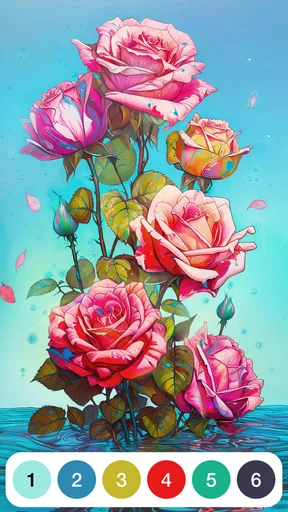




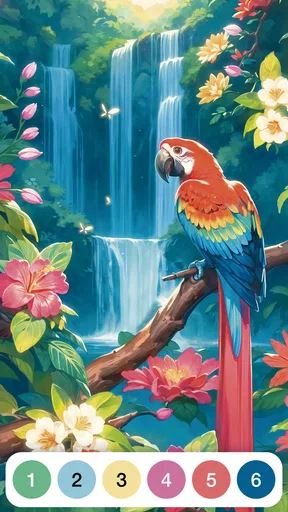


Our Review of Paint by Number: Coloring Game
 Analysis by Appyee
I found Paint by Number: Coloring Game most appealing when I wanted something quiet, simple, and easy to pick up without learning a complicated rule set. It is a casual coloring game from Oakever Games, built around filling numbered areas rather than competing against a timer or managing a large collection of controls. That narrow focus is also its biggest strength: the experience gets out of the way and lets me concentrate on completing one picture at a time.
The game is free to download and suitable for Everyone, which makes it approachable for families and for adults who simply want a low-pressure break. It has reached over five million installs and holds a 4.5 average from roughly twelve thousand ratings, so there is clearly a substantial audience for this particular kind of digital coloring. I would not treat those figures as a guarantee that every player will enjoy it, but they do match my impression that the basic idea is immediately understandable.
How the interface supports calm, readable play
The first thing I noticed is how little explanation is needed before starting. The paint-by-number format gives each image an obvious task: choose the indicated color and fill the matching spaces. That clarity matters for anyone who finds dense menus, complex tutorials, or fast reactions tiring. Instead of asking me to remember several systems at once, the game keeps my attention on the current color and the unfinished parts of the illustration.
Navigation feels best when I treat each picture as a short session rather than as a large project. I can open the game, select an image, and begin working without needing to prepare a strategy. The visual structure supplies its own guidance through numbered sections, so I do not have to guess what action comes next. For a player who prefers predictable routines, that makes the opening minutes especially comfortable.
There is also a useful difference between recognizing a color and locating every area that uses it. I found it more manageable to focus on one number at a time, complete the obvious sections, and then scan the image again before switching tasks. This approach reduces visual wandering and makes progress easier to notice. It is a small habit, but it turns a potentially cluttered picture into a sequence of simpler decisions.
The most accessible part of the design is its single-task rhythm: identify the active number, find the matching spaces, and tap them. That rhythm can suit people who enjoy repetition and visual order. It may also help someone who is trying to settle down after work or fill a short waiting period, because the game does not demand constant planning.
Readability depends on the artwork
The numbered areas are clear enough for the central mechanic to work, but readability is not identical across every picture. Small sections naturally require more careful attention than broad ones. When several narrow shapes sit close together, I need to slow down and inspect the image rather than tapping quickly. Players with reduced visual acuity may find those illustrations more demanding, especially if the number markings and boundaries feel visually crowded.
My practical advice is to begin with images that have larger, more separated regions. That gives the eyes a gentler introduction to the game and makes it easier to judge whether the visual presentation works for you. If an image feels tiring, moving to a different design is more sensible than forcing completion simply because it is already open.
The game’s simplicity also means that it is not a replacement for a dedicated drawing tool. I cannot approach it as an open canvas where I choose any color, change the composition, or sketch freely. The numbered layout decides the available action. That limitation improves clarity for some players, but it will disappoint anyone who needs creative control or wants to express an image in a personal style.
Motor comfort during repeated tapping
From a motor perspective, the main interaction is straightforward: tapping areas of an image. There is no need for rapid swipes, complicated gestures, or precise drawing strokes in the basic activity. That can be more comfortable than freehand coloring for someone who finds continuous finger movement tiring. It also makes the game approachable on a small phone, although tiny sections still call for careful targeting.
Repeated tapping is not automatically effortless. A long session can become monotonous for anyone with hand fatigue, tremors, or difficulty maintaining a steady touch. I would use shorter sessions and pause between pictures rather than trying to finish a detailed illustration in one go. Choosing simpler artwork is another sensible adjustment because it reduces the number of small targets that need attention.
The numbered method creates an interesting trade-off. It removes the pressure of selecting a color from a full palette, but it replaces that decision with the need to locate matching areas accurately. Someone who struggles with color selection may appreciate that consistency. Someone who struggles with precise tapping may prefer a coloring experience with larger controls or a different input method.
I also found that a slower pace improves accuracy. Fast tapping is tempting when several matching spaces are visible, but careful taps make the process less frustrating. If a player is using the game with a stylus, an alternative input device, or one hand, the experience will depend on how comfortably that setup handles small on-screen regions. The game’s appeal is strongest when the physical action remains easy enough to stay relaxing.
Sensory load and the value of a quiet routine
Paint by Number: Coloring Game is naturally less intense than action games, puzzle games with countdowns, or competitive titles that constantly announce success and failure. The absence of a demanding reaction loop makes it suitable for a calm evening routine, a short mental break, or a quiet activity alongside another low-attention task. I especially liked it when I wanted something to do with my hands without adding another complicated story or objective to my day.
Still, “relaxing” is not universal. Repetitive tapping can become irritating rather than soothing, and a player who dislikes highly structured coloring may feel constrained by the numbered format. The visual concentration required by detailed areas can also be tiring after a while. I would not recommend treating it as an activity to play indefinitely; its best use is in controlled stretches where stopping still feels easy.
For people sensitive to visual clutter, the choice of image matters more than the general category suggests. A broad, uncomplicated design can feel orderly, while a picture filled with many tiny regions can produce the opposite effect. I would make the selection based on how much concentration I have available that day. On a tired day, an easier image is not a lesser choice; it is the one more likely to preserve the relaxing quality.
Using it in everyday situations
A realistic use case is a ten-minute pause after finishing household tasks. I can open the game, work on a few matching sections, and stop without losing the sense that the session had a clear purpose. It also fits a quiet commute or a waiting room when I want an activity that does not require sound, fast timing, or a long explanation. The short-session nature makes it less demanding than starting a full game with a story to follow.
It can work for family use as well, particularly when one person wants to color while another watches. The Everyone age rating supports that broad audience, but I would still choose images and session lengths according to the individual player. A child may enjoy the immediate visual feedback, while an older adult may prefer larger, simpler sections and more time between taps. The same game can therefore feel very different depending on the picture selected and the player’s comfort.
For someone who uses games as a way to manage attention, the numbered workflow offers a useful anchor. I can define a small goal, such as completing one color or one section, instead of approaching the whole image as an obligation. That makes the activity easier to start and easier to stop. It is not a therapeutic tool, but as a personal routine it can provide a modest sense of order.
I would avoid using it while walking, moving between places, or doing anything that needs full awareness. Even a simple coloring game asks me to look closely at the screen, and small sections reward concentration. Its situational accessibility is therefore strongest when I am seated and have a few uninterrupted minutes.
Free entry, optional spending, and the practical trade-off
The game is free, which makes trying the core experience straightforward. That matters here because the appeal is personal: some players will immediately enjoy the repetitive coloring loop, while others will discover that numbered art feels too restrictive. Being able to test the style without an upfront purchase lowers the risk of finding out that it is not the right kind of casual game for you.
In-app purchases range from $4.99 to $69.99 per item. I consider that an important part of the decision, particularly for families or anyone who prefers a completely predictable entertainment budget. The free starting point is useful, but I would approach optional purchases deliberately rather than assuming that every desirable addition belongs inside the no-cost experience.
My own approach would be to play several short sessions before spending anything. That reveals whether the relaxation comes from the coloring itself or only from the novelty of the first few pictures. It also helps identify whether the available free experience meets your needs. If you mainly want a quiet activity now and then, paying may not be necessary; if you become a regular player, you should decide in advance what level of spending feels reasonable.
This is where the game differs from a conventional coloring book. A physical book gives me complete control over tools and colors but requires supplies, storage, and a suitable surface. A freehand drawing app offers more creative freedom but usually asks for more motor precision and more decisions. Paint by Number: Coloring Game sits between those options: it is more guided than drawing and more portable than paper, but less expressive than either a blank canvas or a traditional coloring page with unlimited color choices.
Who will benefit most, and who should skip it
I would recommend it to people who enjoy orderly tasks, gentle repetition, and visible progress. It is particularly suitable for someone who wants a casual game rather than a competitive challenge, or for a player who finds open-ended creative apps intimidating. The simple numbered structure can also be a good fit for a first digital coloring experience because the basic interaction is easy to understand.
I would be more cautious if you need large, consistently separated targets, dislike repetitive tapping, or want strong control over the final artwork. Players looking for puzzles, narrative progression, social competition, or fast-changing challenges should choose another category entirely. This game is not trying to deliver those experiences, and forcing it to serve that purpose will make its narrow design feel like a weakness.
It may also be the wrong choice for someone who expects every session to feel equally easy. Detailed pictures can demand sustained visual attention, and the small areas can be uncomfortable for users with motor limitations. In that situation, a physical coloring format with larger printed regions, a drawing app with adjustable tools, or a game designed around larger touch targets may be a better match.
Version, device fit, and lasting usefulness
The current version is 5.1.11 and it requires Android 7.0 or later. That keeps the game within reach of many Android users, though anyone with an older device should check compatibility before planning around it. I would also consider the practical condition of the phone itself: a small display can make intricate images harder to read, while a larger screen may make precise tapping more comfortable.
The game’s lasting value comes less from mastering a difficult system and more from whether the coloring routine continues to feel pleasant. That is a strength for casual players who want an activity they can revisit without remembering complicated progress rules. It is a weakness for players who need increasingly demanding mechanics to stay interested. The experience is intentionally steady, so its success depends on your relationship with repetition.
Oakever Games has positioned this release clearly as a casual paint-by-number experience, and I think that focus is honest. The 4.5 average and audience of more than five million installs suggest that the format has broad appeal, but my recommendation remains conditional: try it when you want guided calm, not when you want limitless creativity or a deep game system.
My inclusive verdict
I see Paint by Number: Coloring Game as a considerate option for low-pressure digital coloring, especially when readable artwork and a comfortable session length are chosen carefully. Its strongest accessibility qualities come from the predictable sequence, limited decision-making, and lack of fast reactions. Those qualities can support different ages and energy levels without requiring the player to learn a complex interface.
At the same time, inclusive design is not only about having simple rules. Small numbered spaces, repeated tapping, visual concentration, and optional spending can all become barriers in the wrong context. I would start with a short session, select a less intricate picture, and pay attention to whether my eyes and hand remain comfortable. If they do, the game can become a pleasant everyday pause.
My final recommendation is to treat it as a guided coloring companion, not a universal creative app. It is free to try, rated for Everyone, and easy to understand, but the best experience belongs to players who genuinely enjoy repetition and can comfortably work with the artwork on their device. For me, that makes it a worthwhile casual download when I want a quiet, structured activity, while people seeking expressive drawing, large-target interaction, or richer gameplay should look elsewhere.
Privacy and Permissions
See what permissions an app requests and how it handles your data.
- Photos/Media/Files
- read the contents of your USB storage, modify or delete the contents of your USB storage
- Storage
- read the contents of your USB storage, modify or delete the contents of your USB storage
- Wi-Fi connection information
- view Wi-Fi connections
- Other
- view network connections, full network access, control vibration, prevent device from sleeping, Google Play license check
Verdict
Strengths of Paint by Number: Coloring Game
- Simple controls make it easy for beginners and casual players.
- Large picture library offers plenty of subjects to color.
- Helpful hints make difficult or tiny sections easier to complete.
- Offline coloring is available for many downloaded pictures.
- Completed artworks can be saved and shared with others.
Limitations of Paint by Number: Coloring Game
- Some detailed images require considerable time to finish.
- Hints and extra tools may be limited without watching ads.
- Frequent advertisements can interrupt the coloring experience.
- The app may use noticeable storage as more pictures are downloaded.
- Certain premium artwork and features require in-app purchases.
Other Releases by Oakever Games
View All


Similar Picks in This Category
View All
My Talking Angela
Outfit7 Limited4.2

My Talking Tom
Outfit7 Limited4.3

Pou
Zakeh4.2

My Talking Tom 2: Pet Game
Outfit7 Limited4.3

Candy Crush Saga
King4.6

Bridge Race
Supersonic Studios LTD4.1
Frequently Asked Questions
What is Paint by Number: Coloring Game?
Paint by Number: Coloring Game is a digital coloring app where you complete pictures by filling numbered sections with matching colors. It includes categories such as animals, flowers, landscapes, mandalas, and illustrations. The experience is designed to be relaxing and accessible, even for beginners, because the app guides you toward the correct areas and colors as you work through each image.
Is Paint by Number: Coloring Game free to download and use?
The app can generally be downloaded for free, and it usually provides a selection of pictures that can be colored without payment. However, some artwork, tools, features, or convenience options may be restricted to premium users. You may also encounter advertisements or optional in-app purchases. Before downloading, check the current store listing for subscription terms and available free content.
Does the game require an internet connection?
An internet connection may be needed to download the app, load new artwork, display advertisements, synchronize progress, or access certain online features. Some previously downloaded pictures can often be colored offline, which is useful during travel or when you want to reduce mobile data usage. Offline availability can vary depending on the version and the specific content selected.
Is Paint by Number: Coloring Game suitable for children?
The simple controls and guided coloring system can make the app suitable for many children, but parents should review the recommended age rating and privacy information before installation. Advertisements, in-app purchases, and links to external content may be present. Younger users may also need help understanding premium options, so parental controls and purchase restrictions are advisable.
What devices are compatible with Paint by Number: Coloring Game?
Paint by Number: Coloring Game is designed for mobile devices running a supported version of Android or iOS. Compatibility may depend on your phone or tablet’s operating system, available storage, screen size, and performance. For the most accurate requirements, open the official Google Play or App Store listing before downloading, since supported versions and app specifications can change with updates.
Play our best games!


